Last updated: 25 October 2026. Prices and plans for these services change often; always check them on the vendor's own site.
First, something you need to know to weigh this article: we build our automations in n8n. So we have a preference. Below we explain why, and also when we'd recommend something else to a firm.
We checked the claims about data storage and billing against the vendors' own pages on 25 October 2026.
Why a firm with client data asks different questions
Most comparisons of n8n, Make and Zapier are written for web shops and marketing teams. They mainly want to know how many integrations there are and how quickly you can click something together.
An accounting or law firm has other concerns. You work with annual accounts, citizen service numbers (BSN), court documents and information under professional secrecy. Then three questions matter more than the number of integrations: where is the data stored, how are you billed, and who maintains it when something breaks?
That concern is widely shared. Of the Dutch firms that considered AI but don't use it, 49% cite privacy as a reason (CBS, December 2025). The same question applies to automation without AI: every step in a workflow is a place where client data passes through.
Where the data lives: the US, the EU or your own server
According to the vendors' own pages, it works like this:
- Zapier stores data on servers in the United States, and doesn't offer storage only in the EU (Zapier).
- Make lets you choose a data centre in the EU or the US for each organisation. You can't change it afterwards (Make).
- n8n Cloud stores data in the EU, on servers in Frankfurt. You can also host n8n yourself, on a server you choose (n8n).
Those are the vendors' own statements. Ask for the storage location in writing too, in the data processing agreement.
Data in the US isn't automatically forbidden. Transfers to the US are covered by the EU-US Data Privacy Framework, and Zapier is certified under it (Zapier). An EU court upheld the framework in September 2025; an appeal at the Court of Justice is still pending (Skadden, July 2026). So it can still change. But for a firm that has to be able to explain to clients where their data is, "in the EU" or "on our own server" is a simpler answer.
How you're billed: tasks, credits or executions
The three services charge in different ways, and that makes a big difference once a workflow runs often.
- Zapier charges per task: every successful action counts. The trigger that starts the workflow doesn't (Zapier).
- Make charged per operation and has billed in credits since 27 August 2025. For ordinary steps without AI, one operation is one credit (Make).
- n8n charges per execution: one run through the whole workflow counts as one, however many steps it has (n8n).
A worked example, our own sum based on how the vendors count: a workflow with a trigger and four actions that runs a hundred times a day comes to about 3,000 executions a month in n8n (100 runs × 30 days), and about 12,000 tasks in Zapier (4 actions × 100 × 30).
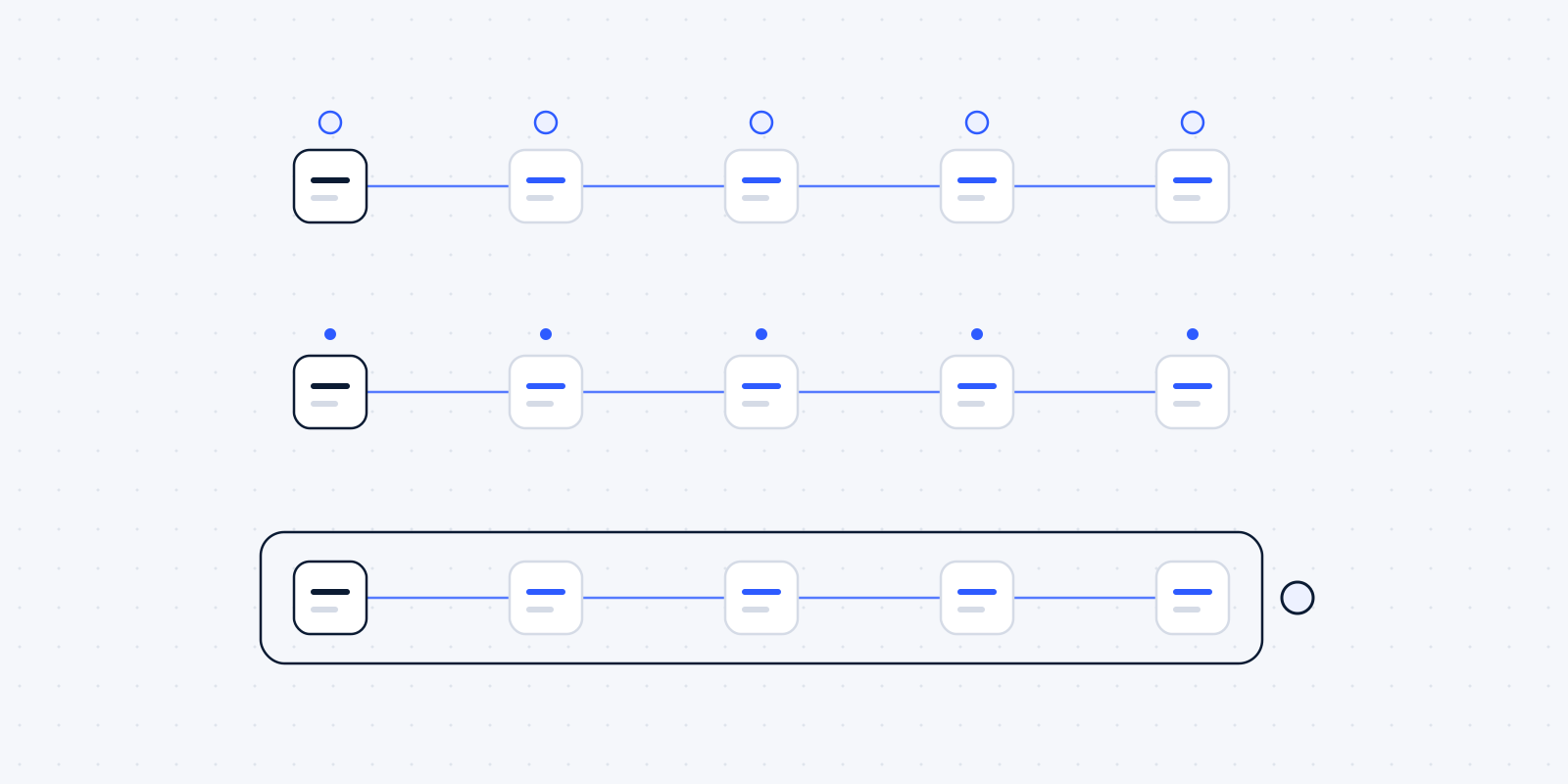
Think of a concrete case, made up but recognisable. Every incoming email with an attachment is checked (1), the attachment is saved in the client file (2), the client is looked up in the CRM (3), the document is ticked off the list of missing items (4), and the staff member gets a notification (5). A hundred emails a day isn't unusual for a busy firm in tax season. With Zapier the four steps after the trigger count; with n8n the workflow counts as a whole.
What that means in euros depends on current prices. We deliberately don't list them here, because they change too often.
Self-hosting isn't free
You can run the open version of n8n yourself. That still doesn't make it free. According to Virtua.Cloud, which sells n8n hosting itself, a virtual server for it costs roughly 12 to 29 euros a month, plus one to two hours of maintenance a month (Virtua.Cloud).
The maintenance is the part people forget. Someone has to install updates, check backups, secure the server and notice when a workflow gets stuck. If nobody in your firm wants to or can, you pay someone to do it, or you choose the cloud version.
And self-hosting doesn't make a firm GDPR compliant by itself. You decide where the server is, and you're also responsible for securing it.
Who maintains it when something breaks
Every workflow gets stuck at some point. A vendor changes its API, a password expires, a client sends an attachment in an odd format. The question is who notices, and who fixes it.
At a firm with client data that weighs more heavily than at a web shop. A failed step can mean a document doesn't reach the file, or a reminder doesn't go out while everyone assumes it did. That's why we build a notification into every workflow for when a step fails, and keep an overview of which workflows are running and what they do. Ask any other builder the same: what happens when it goes wrong, and how will I hear about it?
That applies to all three services. Zapier and Make take server management off your hands, but a workflow that breaks because another package changed something still needs someone to repair it.
Example: five steps, and who hears when one fails
Example
Check email
With an attachment
Save attachment
In the client file
Find client
In the CRM
Tick off
On the list of missing documents
Notify staff
The right colleague
If a step fails
A person gets a message and fixes it
Person
The paperwork that matters more than the tool
None of these three services is "GDPR compliant" on its own. Whether you comply with the GDPR (the AVG in Dutch) depends on how you use them: which data goes through, who you have agreements with, and what you record.
Two things are needed in any case:
- A data processing agreement (verwerkersovereenkomst) with every service that processes your clients' personal data. That covers the automation service, and also every service that receives data in a workflow. The GDPR requires this in article 28 (GDPR).
- A record of processing activities stating which data you process, for what, and through which services.
The NOvA, the Dutch bar association, gives advocaten a useful checklist for vendor contracts: look at who controls the data, how liability is arranged and how you get out again, and avoid getting locked in to one vendor (NOvA, AI recommendations). Those recommendations are about AI, but the questions fit an automation service just as well.
Questions for any provider
Whichever service you choose, and whoever builds it for you, you should be able to get answers to these:
- Where is my data stored, and can I get that in writing?
- Which sub-processors do you use?
- How am I billed, and what does it cost if my usage doubles?
- Can I export my workflows if I want to switch?
- Who fixes it when a workflow stops, and how quickly?
If you can't get a clear answer to one of these, that tells you enough.
The fourth question is often forgotten. With all three services your workflows run on that platform. If you want to move to another platform, you rebuild them there. n8n stores workflows as files you can export and load again elsewhere, including on your own server. That's one of our reasons for working with it.
Our recommendation per type of firm
This is our assessment. Your situation may differ.
- Do you run a small firm with a few simple connections and little sensitive data? Then Zapier or Make is fine, as long as the data is in the EU and there's a data processing agreement. You can often set it up yourself.
- Do you have many workflows that run often? Then look closely at how you're billed. The difference between per step and per execution can get large.
- Do you work with confidential files, as a law firm does? Then choose storage in the EU or on your own server, and make sure someone is responsible for maintenance.
Why we use n8n, and when we'd pick something else
We build on n8n for three reasons. You can choose where it runs, including on a server in the Netherlands or the EU. It charges per execution, which is easier to predict for busy workflows. And the workflows are yours: if you ever want to continue with someone else, they can take them over.
We'd recommend something else if you want to manage it yourself without technical knowledge. Make and Zapier are more approachable for a beginner. Or if you need one simple connection that Zapier offers ready-made; then your own n8n installation is too much hassle.
The tool is also only half of it. Search for "n8n" on a freelance platform and you'll find countless providers (Fiverr). Building is something anyone can do. For a firm with client data, what counts is who you can hold to account when it goes wrong, who speaks your language, and who knows what a data processing agreement is. That's what we want to be judged on.
For more on why we connect rather than replace, read why we build on the software you already use.
Wondering where this applies in your firm? In a free audit we look at your own week together: the software you already have, the jobs that keep coming back, and what automating them would be worth. Read what the audit covers, or book a call now.